

Service Titan Booking Connector
Capture every lead instantly in ServiceTitan
Features

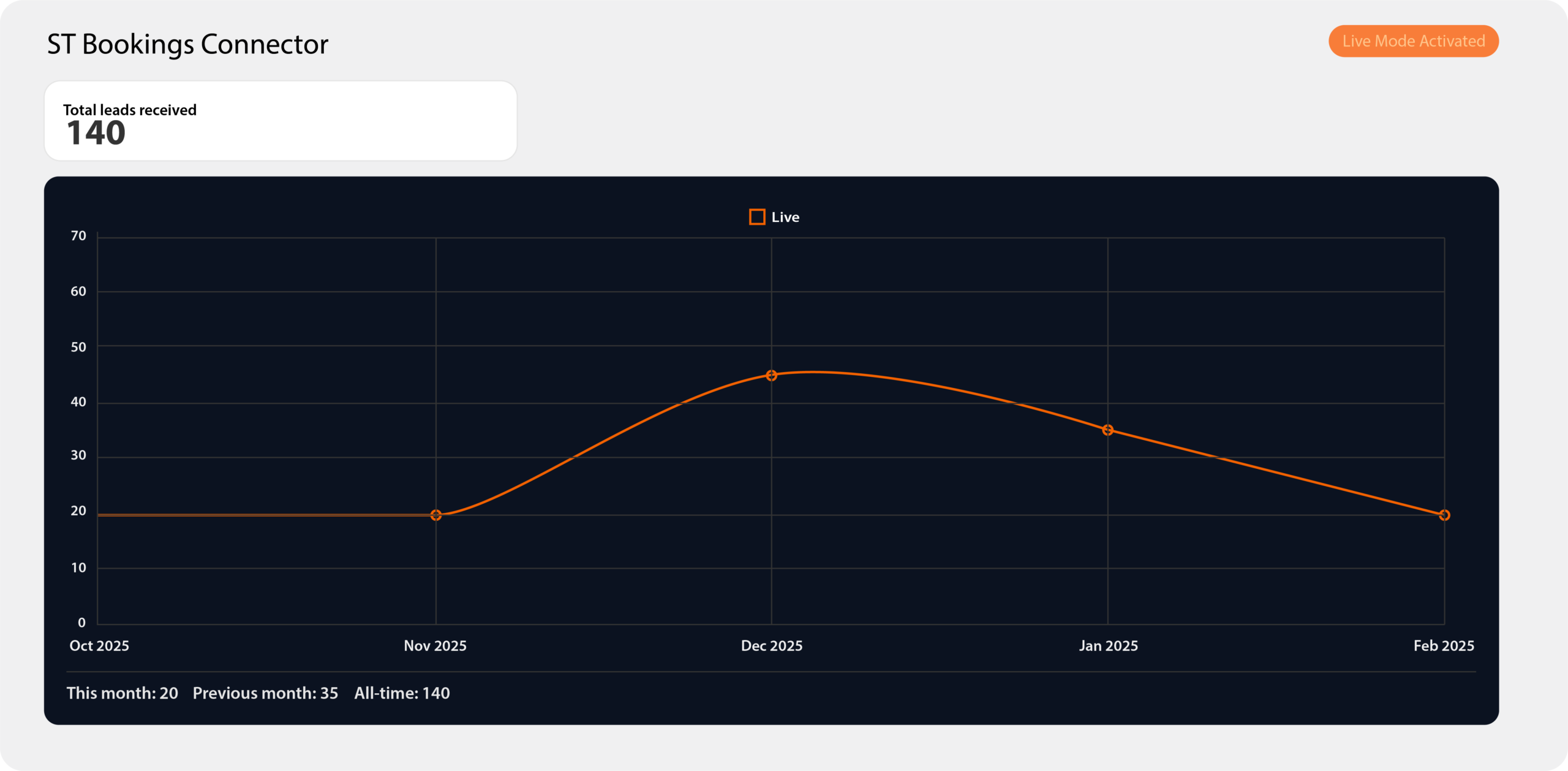
Easy Dashboard

Instant Lead Visibility

Fast, Frictionless Setup

Secure by Design
Built with WordPress best practices and hardened against common vulnerabilities so sensitive lead data stays protected.

Gravity Forms Ready

Job Logs at Your Fingertips
Track job logs right from the dashboard so you always know what was sent, when it was sent, and what happened next. No more “Did that lead go through?” guessing.

Admin-Only Access

Built the WordPress Way

Great Support

Just Works
The ST Connector turns your WordPress site into a reliable, automated lead engine so every inquiry makes it into ServiceTitan fast, accurate, and fully tracked.
Why Us?
Lorem ipsum dolor sit amet, consectetur adipiscing elit. Donec sed finibus nisi, sed dictum eros.
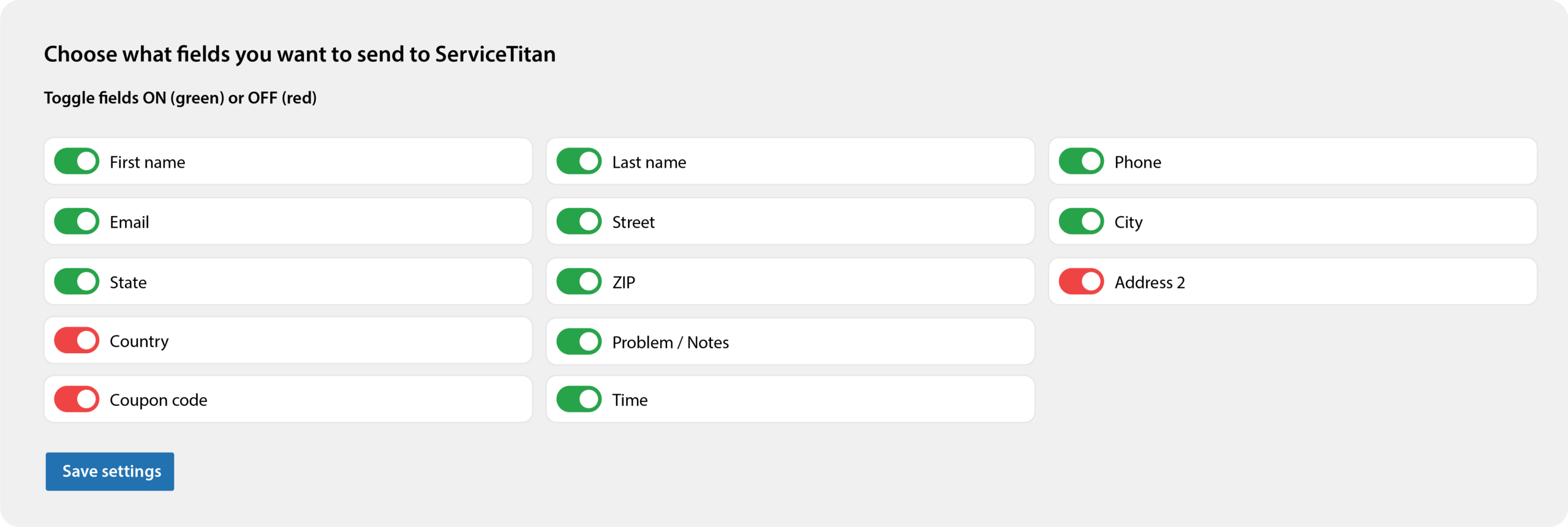
Change settings easily with a friendly interface
Making sure you
get every lead
Featured Projects
FAQ

Will it slow my website down?
The plugin only runs on form submissions and in the WordPress admin. It does not add heavy scripts to your public pages.
Can I use this without Gravity Forms?
No. The plugin is built around Gravity Forms. If you are not using it yet, you can install Gravity Forms and convert your current forms. In the future we may add other integrations based on demand, so let us know if you would like it to work with another form plugin.
What are the minimum requirements to use this plugin?
You will need:
-
A WordPress site running a recent version (WordPress 6.x or higher recommended)
-
PHP 7.4 or higher (PHP 8.x recommended for performance and security)
-
An active Gravity Forms license and at least one form set up
-
A ServiceTitan account with API access/credentials
If you are not sure whether your site meets these requirements, your web developer or hosting provider can confirm this for you in a couple of minutes.
Is this plugin secure?
This plugin is built to be safe. Only WordPress administrators can open the connector screens and change the settings, and every time something is saved, the plugin checks that the request is really coming from a logged-in admin. The data you enter is cleaned before it is stored or shown, which helps block harmful code injection. Only you (and any other admins you choose) can access the settings from your WordPress dashboard. We do not receive or store any of your information on our side, everything stays on your own website.
Does this plugin store my customer data?
Customer details are stored in Gravity Forms and in ServiceTitan. The plugin does not send data to any third party service.
How it works
1. Install the plugin on your WordPress site
Upload and activate it like any other plugin. You get a dedicated settings screen in the WordPress admin for ST Booking.
2. Connect to ServiceTitan
Enter your ServiceTitan API credentials once. The plugin stores them securely and uses standard WordPress options and hooks.
3. Map Gravity Forms to ServiceTitan fields
Pick which Gravity Form should create a lead or booking and map form fields to ServiceTitan fields such as name, phone, email, address, job type and preferred time.
4. Leads flow into ServiceTitan automatically
Every time someone submits that form:
– A job is created in ServiceTitan
– The information is logged in your WordPress dashboard
– Any errors are logged so you can fix them quickly